Back Office Tours Dashboard
What you can see in Tours-Dashboard
- Tour Name
- Tour Date / Time (Starting Time - End Time)
- Tour Guide Name
- Customer Attendance Situation
- Tour Situation at this moment
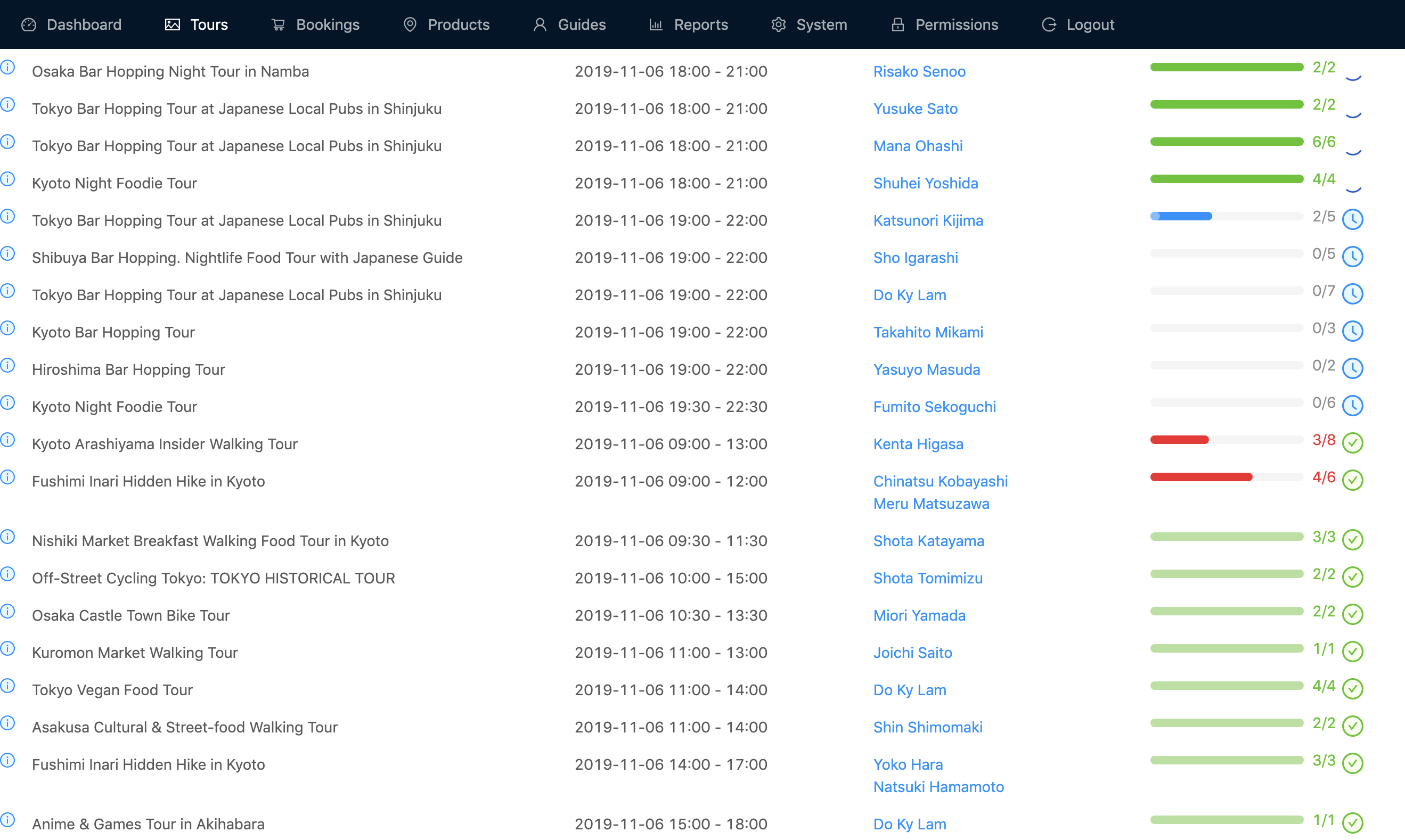
Customer Attendance Situation
This shows how many people in the tour group has arrived.

This shows 2 people have already arrived out of 5 peoppl in the tour group

This shows 5 people have already arrived out of 5 peoppl in the tour group, so it is ready to start the tour.
Tour Situation at this moment
The icon on thew right side shows the current situation of the tour group.

This means this tour is not happening today.

This means this tour group has the customers but no guide is asigned today.

This means this tour has been finished.

This means this tour is now being operated.

This means the tour will be started later.

This means this tour is supposed tio start but has not started yet.