Amended Booking
How to deal with amended bookings (OTA)
- Details: Customer amends their booking on OTA (e.g. change tour date, # of people)
- Expected Action: Update information on Backoffice
- Tag on FreshDesk:
15. OTA Booking - Action Flow: None
- Necessary Information: Source of booking (Which OTA?), Amendment (What was changed?)
- Operation Manual: Below is the list of how to check the amendment from each OTA If you have to change the number of people joining a tour - please contact MT
Booking from Viator:
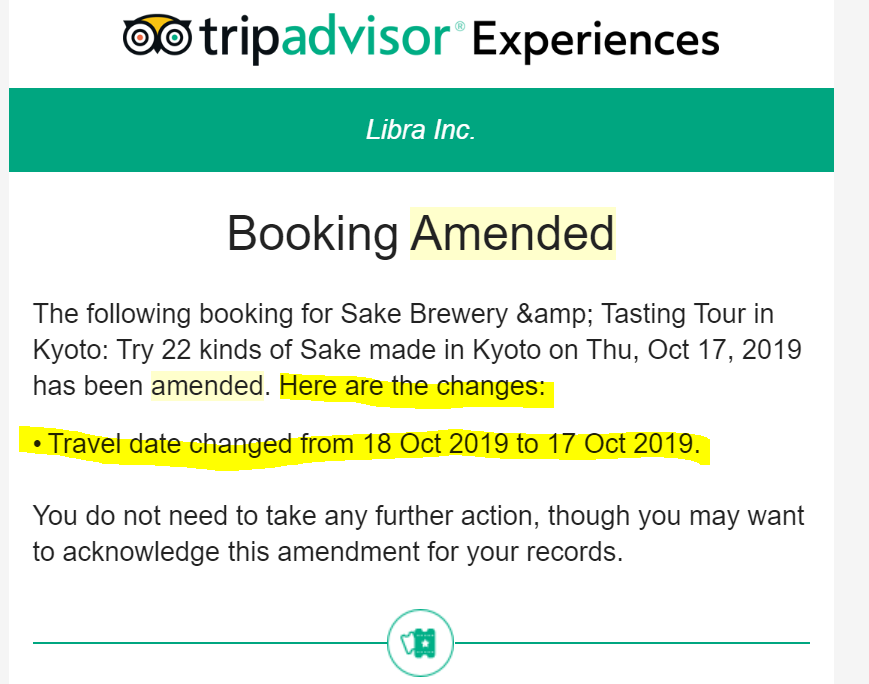
Booking from Airbnb:
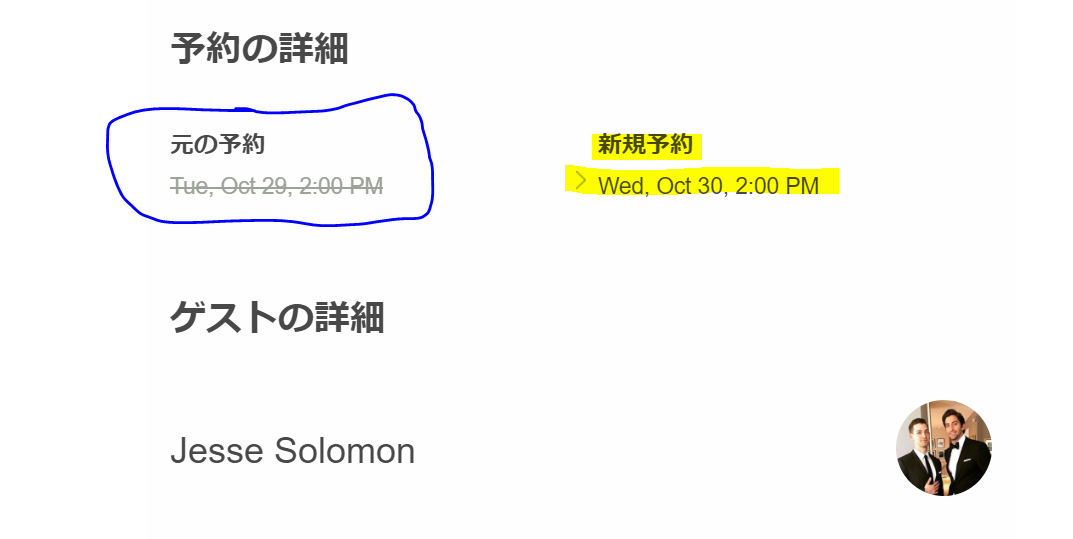
The section within blue circle is the original date, and the highlighted section is the date after amendment.
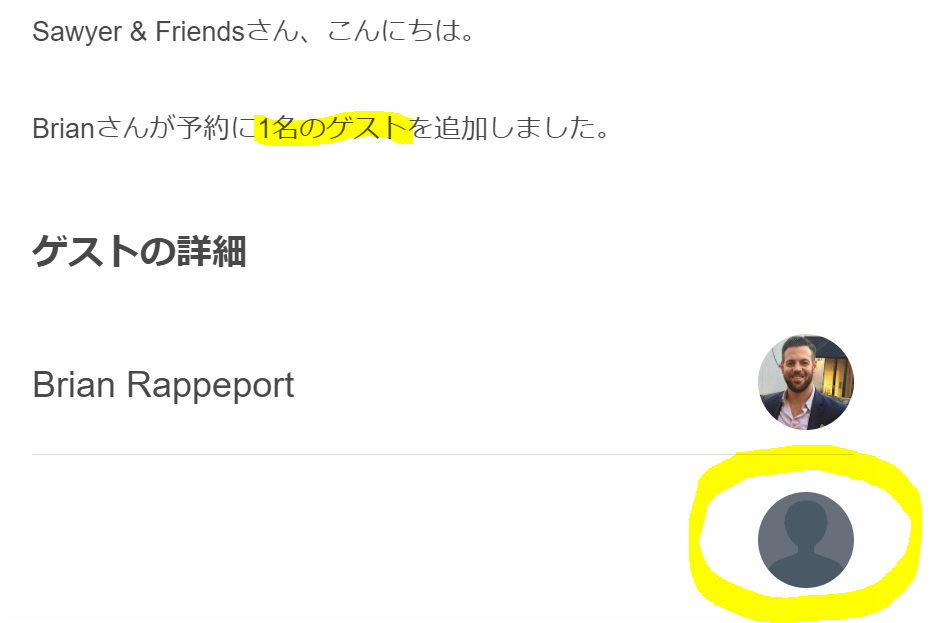
The highlighted section shows the # OF PEOPLE ADDED
Booking from Expedia:
Booking from Booking.com:
Booking from GetYourGuide:
Booking from Voyagin:
How to change booking information on backoffice:
Make sure to re-send the confirmation mail to the customer!
- Message Template: Unnecessary