Payment Error
Action Flow
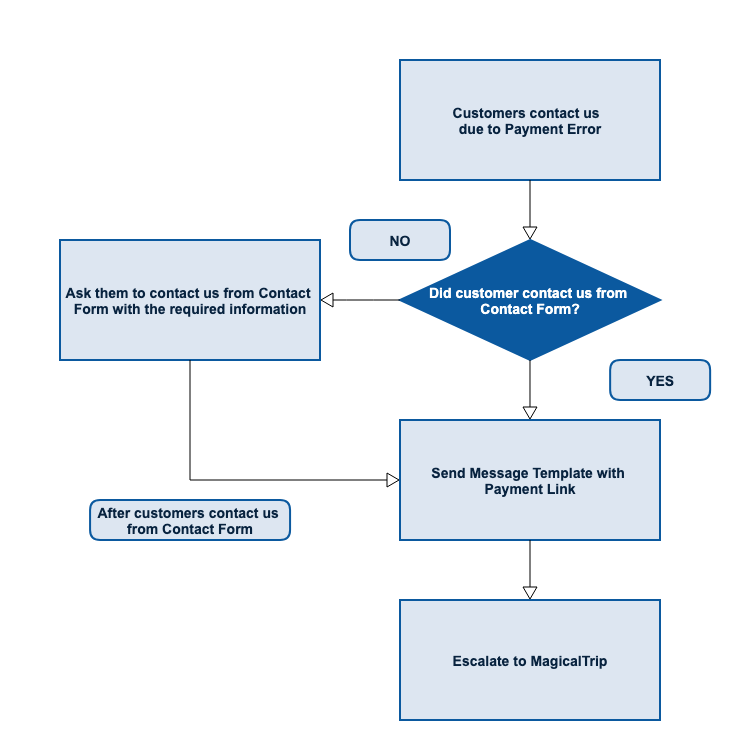
When customers did not contact us from Contact Form
- Details: Customers cannot pay for some reason (technical error), and contacted us
NOT from Contact Form - Expected Action: Reply by sending template
- Tag on FreshDesk:
5. technical - Action Flow: Refer to the above image
- Necessary Information: Refer to the template below
- Operation Manual: Unnecessary
- Message Template:
Hi,Thanks for contacting us.In order us to solve your situation, please kindly submit the payment error request from Customer Support Contact Form from the link below.https://www.magical-trip.com/contact-usBased on the information submitted from the form, we will send you over the payment link.Best regards,`Operator Name` from Magical Trip Support Team
Send Message Template with Payment Link
- Details: Customers cannot pay for some reason (technical error), and contacted us
From Contact Form - Expected Action: Reply with a new payment link
- Tag on FreshDesk:
5. technical - Action Flow: Refer to the above image
- Necessary Information: Tour name, Tour date, Customer name, Customer email address, Tour price
- Operation Manual:
How to Create Payment Link
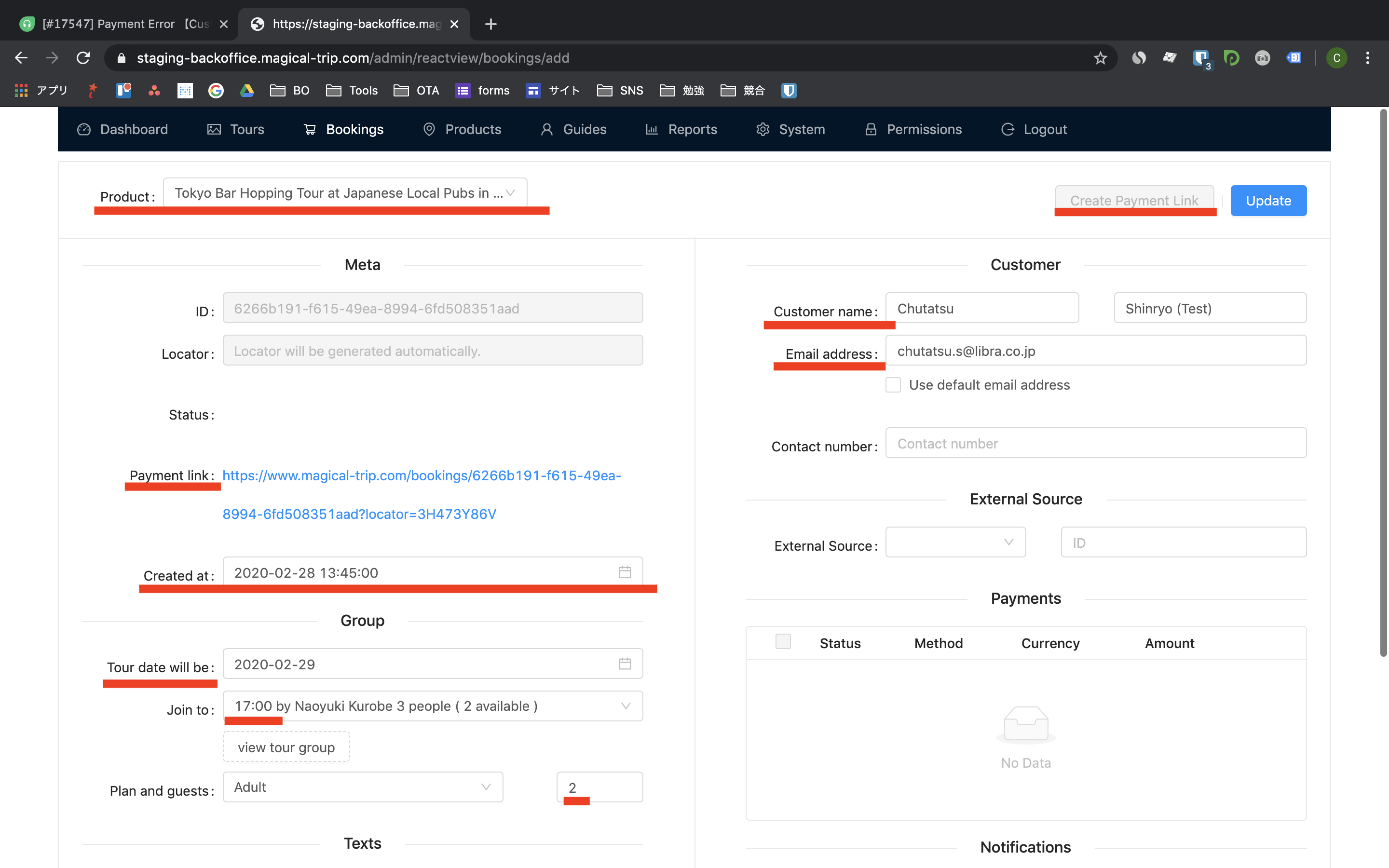
Neccesarry Information to create payment link from Contact Form
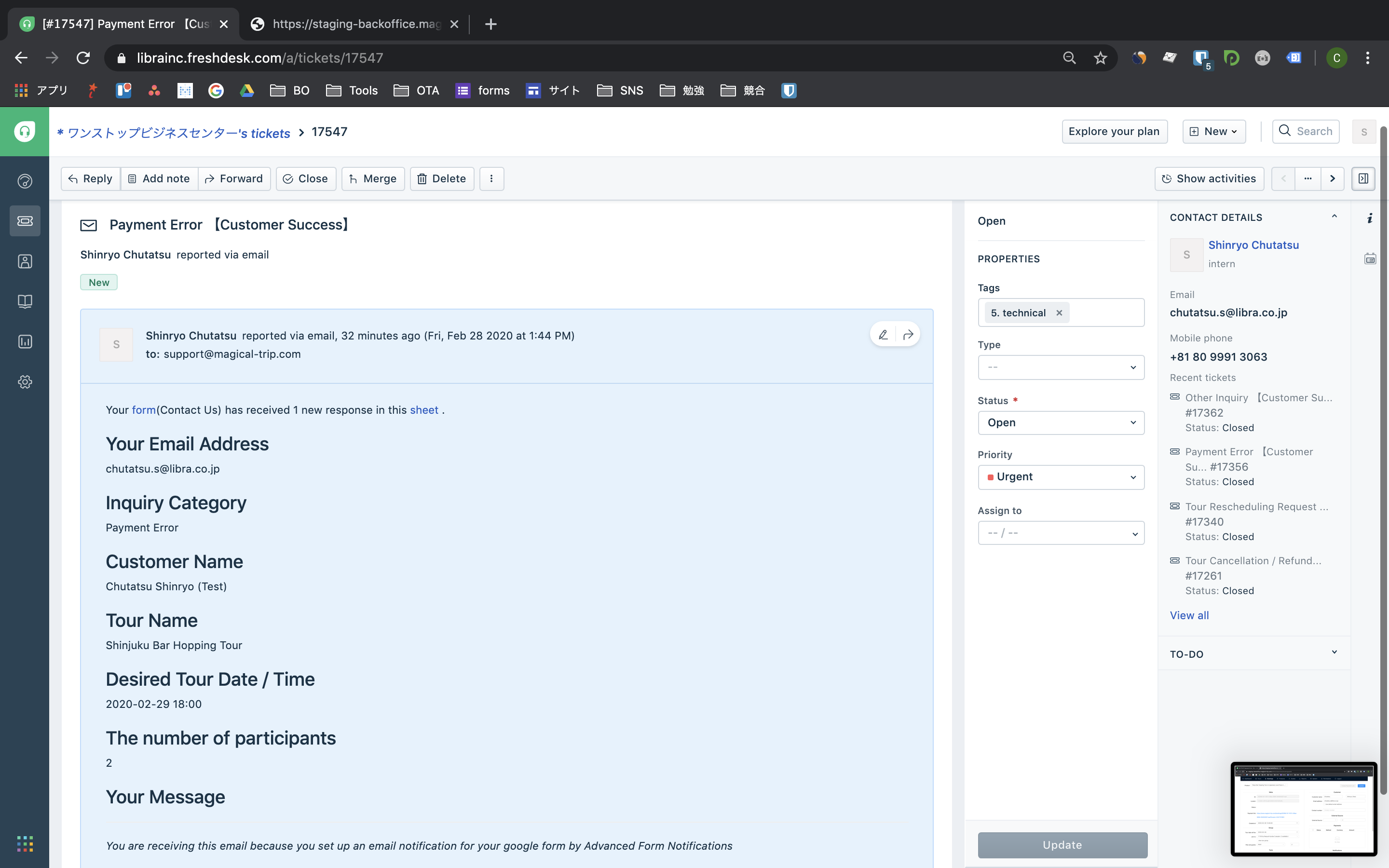
How to check the tour price https://www.magical-trip.com/
- Message Template:
Hi,Thanks for your interest in our tour!I am sorry for the trouble you have with payment on our website.Could you please try the following steps?* Try paying with the credit card through PayPal (double check you put the right information)* Contact the credit card's bank if they could possibly have disabled the card for payments to Japan* Try paying with a Paypal account* Try a different credit cardIf you still cannot make a payment, please use the following payment link which allows you to make a payment directly.`Attach the payment link here`I hope you find my answer helpful.Please don’t hesitate to contact us anytime if you have any other questions.We wish you have a wonderful time in Japan. :)Best regards,`Operator Name` from Magical Trip Support Team
Customer still cannot make a payment
- Details: Customers still cannot make payment after trying with a new payment link
- Expected Action: Takeover to MagicalTrip
- Tag on FreshDesk:
5. technical - Action Flow: Refer to the above image
- Necessary Information: Not necessary
- Operation Manual: Not necessary
- Message Template:
`Describe the issue for us`